

Choosing a Biospecimen Provider: A Guide for Researchers
The quality of a research study often depends on decisions made long before data analysis begins. While experimental design, methodology, and statistical analysis are all critical components of a successful project, the biospecimens used throughout the research process can have an equally significant impact on outcomes. Whether you’re conducting oncology research, biomarker discovery, translational medicine studies, or drug development, selecting the right biospecimen provider is one of the most important choices you’ll make.
Human biospecimens provide the foundation of countless scientific discoveries, but not all providers offer the same level of quality, documentation, or support. From specimen preservation and pathology review to clinical annotation and regulatory compliance, researchers must evaluate several factors before choosing a source for biological materials. This guide explores what to look for when evaluating a biospecimen provider and why working with an established repository can help strengthen research outcomes.
Why Choosing the Right Biospecimen Provider Matters
Every research project relies on accurate, reproducible data. The quality of the specimens used can directly influence study validity, biomarker identification, genomic analysis, and overall confidence in the findings.
Poorly preserved or inadequately characterized samples can introduce variability that may compromise results. In contrast, high-quality specimens collected, processed, and stored according to standardized protocols provide researchers with a more reliable foundation for their work. Selecting the right biospecimen provider helps reduce risk, improve reproducibility, and support meaningful scientific discoveries.
Evaluate Specimen Quality First
Specimen quality should be one of the first considerations when evaluating a provider. The methods used to collect, process, preserve, store, and prepare tissue samples for research directly affect their suitability for downstream applications.
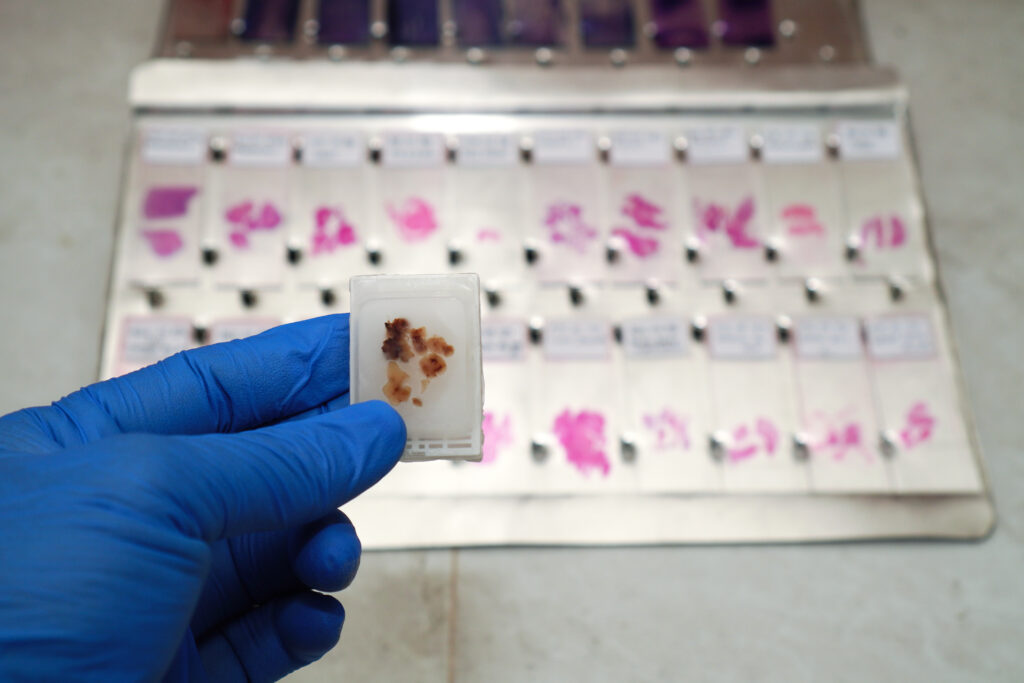
Researchers working with FFPE tissue, for example, depend on proper fixation and storage practices to maintain tissue architecture and molecular integrity. Similarly, studies involving DNA, RNA, protein analysis, or biomarker validation require specimens preserved to minimize degradation.
A reputable biospecimen provider should be transparent about collection procedures, preservation methods, storage conditions, and quality control practices. Understanding how specimens are handled throughout their lifecycle can help researchers select samples that align with their study requirements.
When evaluating providers, it is worth asking about tissue processing timelines, storage temperatures, specimen handling procedures, and any quality assessments performed before samples are released for research use.
The Importance of Pathology Review
A high-quality biospecimen is only as valuable as the information that accompanies it. Pathology review plays a critical role in validating tissue identity and ensuring that specimens meet the requirements of a particular study.
Pathology review helps confirm diagnoses, assess tissue quality, verify tumor content, and identify characteristics that may influence downstream analyses. In oncology research, pathology review may also provide important information regarding histological subtype, tumor percentage, necrosis level, and disease classification.
Working with a biospecimen provider that incorporates pathology review into its quality assurance process can help researchers obtain well-characterized specimens with greater confidence. This additional level of verification reduces uncertainty and supports more reliable experimental outcomes.
For many applications, pathology review is not simply a value-added service; it is an essential component of specimen quality assurance.
Why Clinical Annotation Adds Research Value
Clinical annotation significantly enhances the value of biospecimens by providing researchers with important contextual information that supports digital biobank management and data accessibility. While a tissue sample alone may yield valuable biological data, pairing it with clinical information can yield deeper insights into disease progression, treatment response, and patient outcomes. Clinical annotation may include demographic information, diagnostic details, disease state, treatment history, pathology findings, and follow-up data.
Researchers conducting retrospective studies often rely heavily on annotated specimens to identify meaningful correlations between molecular findings and clinical outcomes. Biomarker discovery programs, translational research initiatives, and precision medicine projects all benefit from access to well-documented samples.
When evaluating a biospecimen provider, researchers should consider not only specimen quality but also the depth and accuracy of the accompanying clinical information.
Inventory Availability and Scalability
Many research projects begin with pilot studies before expanding into larger validation cohorts. Because of this, inventory availability is an important factor when selecting a biospecimen provider. Researchers should consider whether a provider can consistently supply the specimen types needed throughout the life of a project. This may include malignant or disease-state specimens, normal controls, matched samples, blood derivatives, or rare disease collections.
Providers with large inventories are often better positioned to support long-term studies because they can supply additional specimens as research expands. This reduces the need to source samples from multiple vendors and helps maintain consistency across study cohorts.
Inventory diversity can also be valuable when researchers need access to multiple disease types, tissue origins, or patient populations. A provider with a broad repository offers greater flexibility and can help minimize delays associated with specimen procurement.
Compliance, Ethics, and Regulatory Standards
Regulatory compliance and ethical sourcing should always be part of the evaluation process when selecting a biospecimen provider. Researchers need confidence that specimens have been collected, stored, and distributed in accordance with applicable regulations and ethical guidelines. Providers should maintain documented consent procedures and follow established standards for specimen handling, privacy protection, quality management, and accurate specimen labeling practices.
Compliance is particularly important for organizations involved in translational medicine, pharmaceutical development, and clinical research. Working with a provider that prioritizes ethical sourcing helps ensure research integrity while supporting responsible scientific advancement.
Established providers often implement comprehensive quality management systems designed to maintain specimen traceability and preserve sample integrity throughout the collection and distribution process.
Benefits of Working with an Established Biospecimen Repository
While some researchers source specimens through individual institutions or smaller collections, working with an established repository offers several advantages. Large repositories typically maintain extensive inventories of well-characterized specimens supported by standardized biobanking practices and quality-control procedures. This consistency can improve research reliability and simplify specimen procurement.
Established repositories also often provide access to both malignant and normal tissue samples, allowing researchers to conduct comparative analyses without sourcing materials from multiple locations. Comprehensive documentation, pathology review, and clinical annotation further increase the scientific value of these specimens.
Another significant advantage is scalability. As research programs grow, established repositories can often accommodate larger sample requests and provide access to additional specimen types. This flexibility helps researchers maintain continuity throughout long-term projects.
Rather than serving solely as vendors, many repositories become trusted research partners capable of supporting future studies and evolving scientific needs.
Questions to Ask Before Selecting a Biospecimen Provider
Before choosing a provider, researchers should evaluate several key factors:
- How are specimens collected, processed, and stored?
- What quality control measures are performed?
- Is pathology review available?
- What clinical annotation accompanies each sample?
- Are both malignant and normal specimens available?
- What inventory sizes and specimen types are maintained?
- What compliance and ethical standards are followed?
- Can the provider support future sample needs as studies expand?
The answers to these questions can help researchers identify providers that align with their project goals and quality expectations.
Advance Your Research with Superior BioDiagnostics
Choosing the right biospecimen provider can have a lasting impact on the success of your research. From specimen quality and pathology review to clinical annotation, inventory availability, and compliance standards, every aspect of biospecimen sourcing contributes to the reliability of your results.
Superior BioDiagnostics is committed to supporting researchers with high-quality, ethically sourced human biospecimens. As one of the most trusted human biospecimen providers for research, Superior BioDiagnostics maintains a large inventory of well-characterized FFPE tissue samples, including both malignant and normal specimens. Our repository is designed to help researchers access high-quality materials for oncology studies, biomarker discovery, translational research, and molecular analysis.
With rigorous quality standards, detailed specimen documentation, pathology-reviewed materials, and a commitment to research excellence, Superior BioDiagnostics serves as a trusted partner for institutions seeking reliable biospecimens. Contact Superior BioDiagnostics today to learn more about available samples and discover how our repository can support your next scientific breakthrough.